About the Outbound Tracking Sheet
If you are running multiple outbound campaigns, it can quickly become difficult to see which audiences, messaging angles, and channels are actually performing.
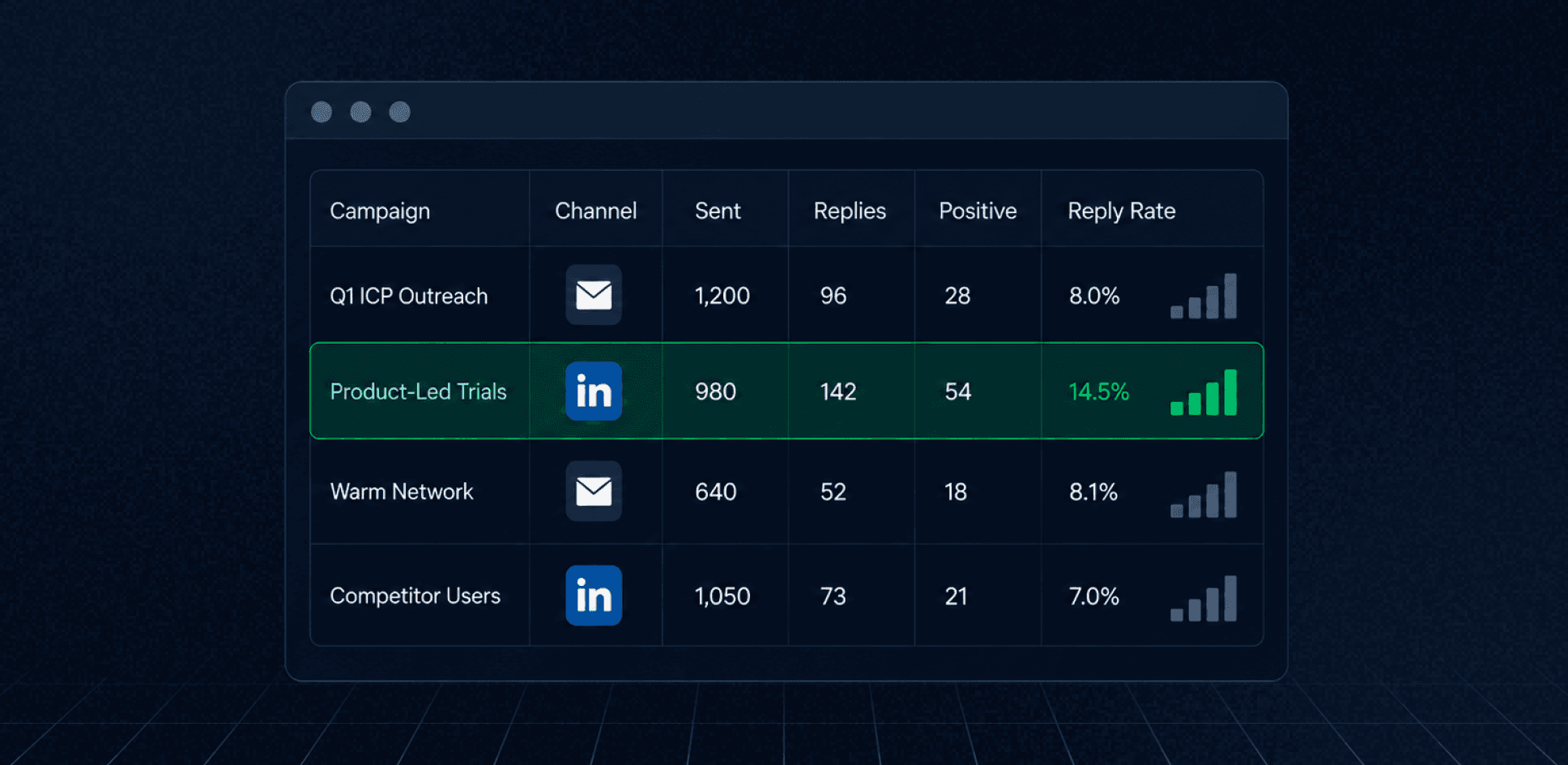
Our Outbound Tracking Sheet gives you one place to organize campaign details and compare performance across email and LinkedIn outreach.
With this template, you can:
- Track email and LinkedIn campaigns in one sheet.
- Record campaign names, targeting angles, notes, and status.
- Monitor campaign start and end dates.
- Track leads, sequence steps, and total outreach capacity.
- Measure messages sent and successfully delivered.
- Compare open, click, and reply rates where available.
- Track positive replies and positive response rates.
- Summarize performance across all outbound campaigns.
Benefits of Using Our Outbound Tracking Sheet
- See all outbound campaigns and results in one place.
- Compare performance across different audiences and messaging angles.
- Identify campaigns generating the strongest reply rates.
- Spot underperforming campaigns before wasting additional outreach capacity.
- Keep a clear record of completed, paused, and active experiments.
- Use past campaign data to improve future targeting and messaging decisions.
How to Use This Template
- Add each outbound campaign and select its platform.
- Record the campaign name, audience, angle, or relevant notes.
- Add the campaign status and start and end dates.
- Enter the total number of leads and outreach steps.
- Track messages sent, delivered, opened, and clicked where applicable.
- Record total replies and positive replies.
- Compare response rates across campaigns, audiences, and channels.
- Use the summary metrics to identify patterns and plan your next experiments.
Why Track Outbound Campaigns in One Place?
Outbound performance is difficult to evaluate when every campaign lives inside a different email or LinkedIn tool. A centralized tracking sheet lets you compare campaigns using the same metrics and keep the context behind each test.
That means you can see whether a new audience improved reply rates, whether a different messaging angle produced more positive responses, or whether one channel consistently performs better than another.
Over time, your campaign history becomes a useful record of what you tested, what worked, and what should influence your next outbound experiment.
To improve the rest of your acquisition strategy, explore our SaaS growth marketing services or get started with a free growth marketing plan.