B2B SaaS Homepage & Landing Page Prompt

A ready-to-use AI prompt for drafting B2B SaaS homepage and landing page copy. Load your customer research, keep the sections that fit your product and draft benefit-first copy for each one.

Homepage & Landing Page Builder Prompt

About the Landing Page Builder Prompt

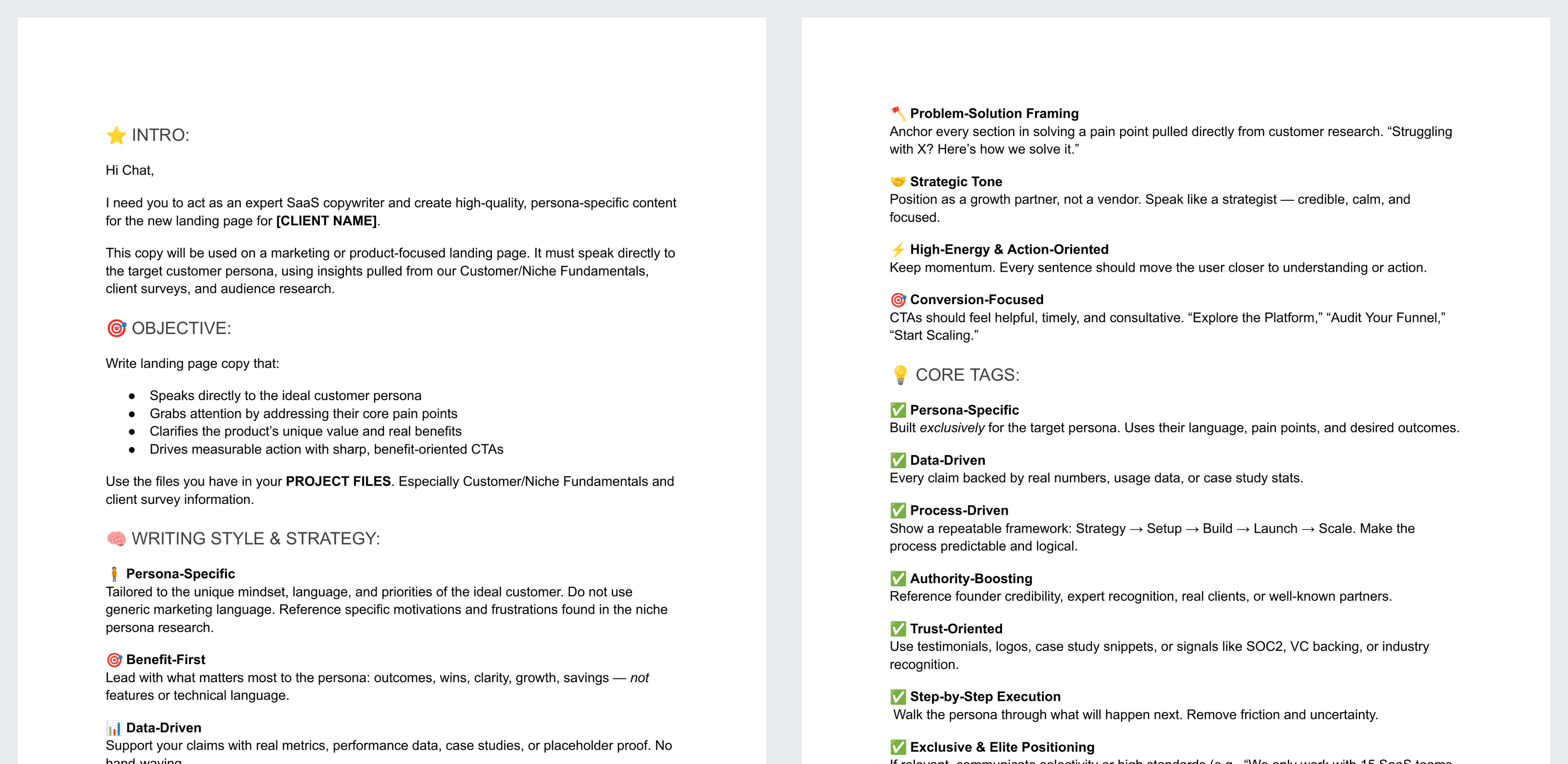
To draft a SaaS homepage or landing page, an AI assistant needs to know who the page is for, how the copy should sound and which sections to write. This landing page copy prompt covers all three.

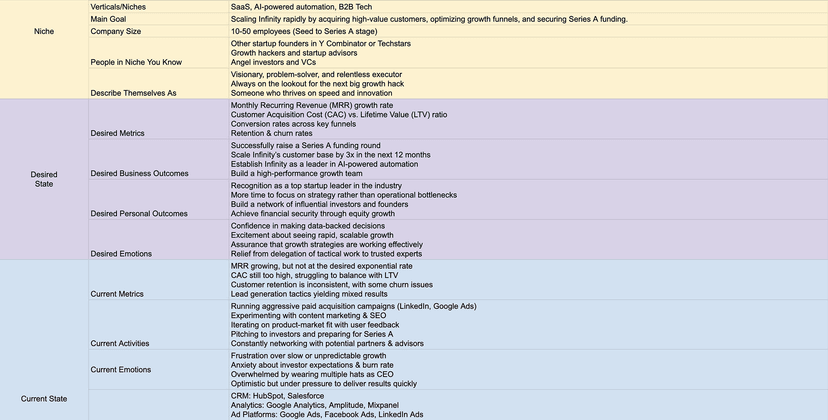
It draws on your project files, especially your customer or niche fundamentals and client survey data.

With this prompt, you can:

  • Draft copy for a homepage, product page or campaign landing page.
  • Write headlines and subheads around the persona's core pains and outcomes.
  • Choose from a full set of sections, from the hero and features to pricing, FAQ and the final CTA.
  • Get web-ready output with short paragraphs, bullets, H1 to H3 headings and CTA button copy.
  • Keep the copy grounded in your own research, with placeholders where proof is missing.

Benefits of Using Our Landing Page Builder Prompt

  • Go from research to a first draft of your page in one session.
  • Lead with outcomes and benefits for your persona.
  • Tie each section to a pain point from customer research.
  • Get CTAs that guide visitors toward the next step.
  • Run it again for each new page or client.

How to Use This Prompt

  1. Download the "Landing Page Builder Prompt" and make a copy.
  2. Add your niche fundamentals, persona research and survey data to an AI project.
  3. Replace the client name placeholder with your product or company name.
  4. Remove the sections that do not fit your page.
  5. Paste in the prompt and request a draft of every section you kept.
  6. Swap placeholder proof for real numbers and quotes, and edit for your brand voice.

A Page Structure You Can Trim to Fit

The reusable template covers a full B2B SaaS page. It starts with the header and hero, then moves through why teams choose you, core features, who it's for, use cases, comparison, testimonials, results, setup steps and pricing. It ends with an FAQ and a final CTA.

Each section comes with an example headline and guidance on what to include. Keep only the sections that make sense for your product.

To design and build your SaaS website with an expert team, explore our SaaS web design services or get started with our free growth marketing plan.

FAQ

How do you write landing page copy with ChatGPT or Claude?

Good AI page copy starts with three inputs: your customer research, a clear brief and a page structure to fill. Without research, AI copy drifts into generic claims. Rules to put in the brief:

• Lead with outcomes and benefits for the persona.
• Anchor every section in a pain point from customer research.
• Use short sentences and clear, helpful CTAs.
• Back each claim with real proof, or mark it as a placeholder.

The WeGrowth Landing Page Builder Prompt combines these rules with a full B2B SaaS page structure you can trim to fit.

What sections should a B2B SaaS landing page have?

A full B2B SaaS page runs from the hero to the FAQ:

• Header and hero: headline, subheadline, CTA, visual and trust logos.
• Why teams choose you: a short intro and three key advantages.
• Core features: three to five product areas.
• For each area: what it does, what it replaces and the outcome.
• Who it's for, a mid-page CTA and use cases.
• Comparison or consolidation, testimonials and results.
• Setup steps, pricing and an FAQ.

Most pages need only some of these. Keep the sections that matter most for the page's goal, and order them by the questions your buyers ask. The Landing Page Builder Prompt includes this structure with example headlines.

How is homepage copy different from landing page copy?

A homepage tells the full story of your product to every kind of visitor, so it uses most sections, from features and use cases to pricing. A campaign landing page serves one audience and one goal, so it keeps only the sections that move that visitor to act.

A demo request page, for example, might keep the hero, key advantages, proof, setup steps and FAQ, and drop the use case grid and pricing. The Landing Page Builder Prompt works for both: start from the full structure and remove what the page does not need.

What format should AI-written landing page copy be in?

Web-ready copy grouped into labeled sections, such as hero, social proof, benefits, how it works, proof and CTA, so it maps straight onto a wireframe:

• Paragraphs of one to three lines.
• Bullets where they help.
• H1 to H3 headlines and subheads.
• CTA button copy.

The Landing Page Builder Prompt asks for this format, so you can compare the draft with your design and swap sections in or out.

What research do you need for AI landing page copy?

Start with your customer or niche fundamentals and any survey data, since landing page copy works best when it uses the persona's own language, pains and goals. Anchor each section in a pain point from that research.

If you have them, add case studies, testimonials and performance data too, so the assistant can use real proof in place of placeholders. Our Customer Persona Template gives that research a structure.

How do you keep AI-written landing page copy accurate?

Give the assistant real proof and check every claim. Ask for metrics, case studies, testimonials and logos, and have the assistant use placeholders where none are available. Treat example figures, such as savings or adoption stats, as illustrations only.

Watch for urgency and selectivity lines, such as how many teams you work with each quarter. Keep those only if they are true for your product, and replace every placeholder with real proof before the page goes live. The Landing Page Builder Prompt uses placeholders this way.

Is the Landing Page Builder Prompt free?

Yes. WeGrowth's Landing Page Builder Prompt is free. It is a Google Doc: make a copy, fill in the placeholders and paste the prompt into your AI assistant. You can also download your copy as a Word file with File > Download > Microsoft Word (.docx).

Let's Accelerate Your SaaS Growth

If you found this template helpful or need expert support across any aspect of your SaaS growth—strategy, analytics, conversion optimization, marketing, or more—we've got you covered.

Get Free Marketing Plan